FROM THE FIELD TO THE DEPARTMENT
Fire inspection
software.
Connected teams.
One place for your checklists, field reports, and follow-up. Keep inspectors, the office, and the reviewing department connected through every inspection.
For fire departments, AHJs & fire protection companies.
Android in the field. Your browser in the office.
YOUR NEXT STEP
Get your workspace ready.
Choose the guide for your team, or go straight to your approved account.
Set up your team.
Company details, employee roles, forms, and report payments.
Company setup guide FIRE DEPARTMENTS & AHJsPrepare your department.
Reporting requirements, filing fees, and payout setup.
AHJ setup guide ALREADY APPROVED?Pick up your work.
Open your workspace. Help & tips can guide you through the next step.
Open the portalNeed help with access, a report, or a payment? Contact support →
TAILORED TO YOUR TEAM
Your team.
Your way of working.
Start with the tools that match your day, whether you’re managing a national property portfolio, inspecting for your jurisdiction, or running an inspection company.
Your department.
Your inspection process.
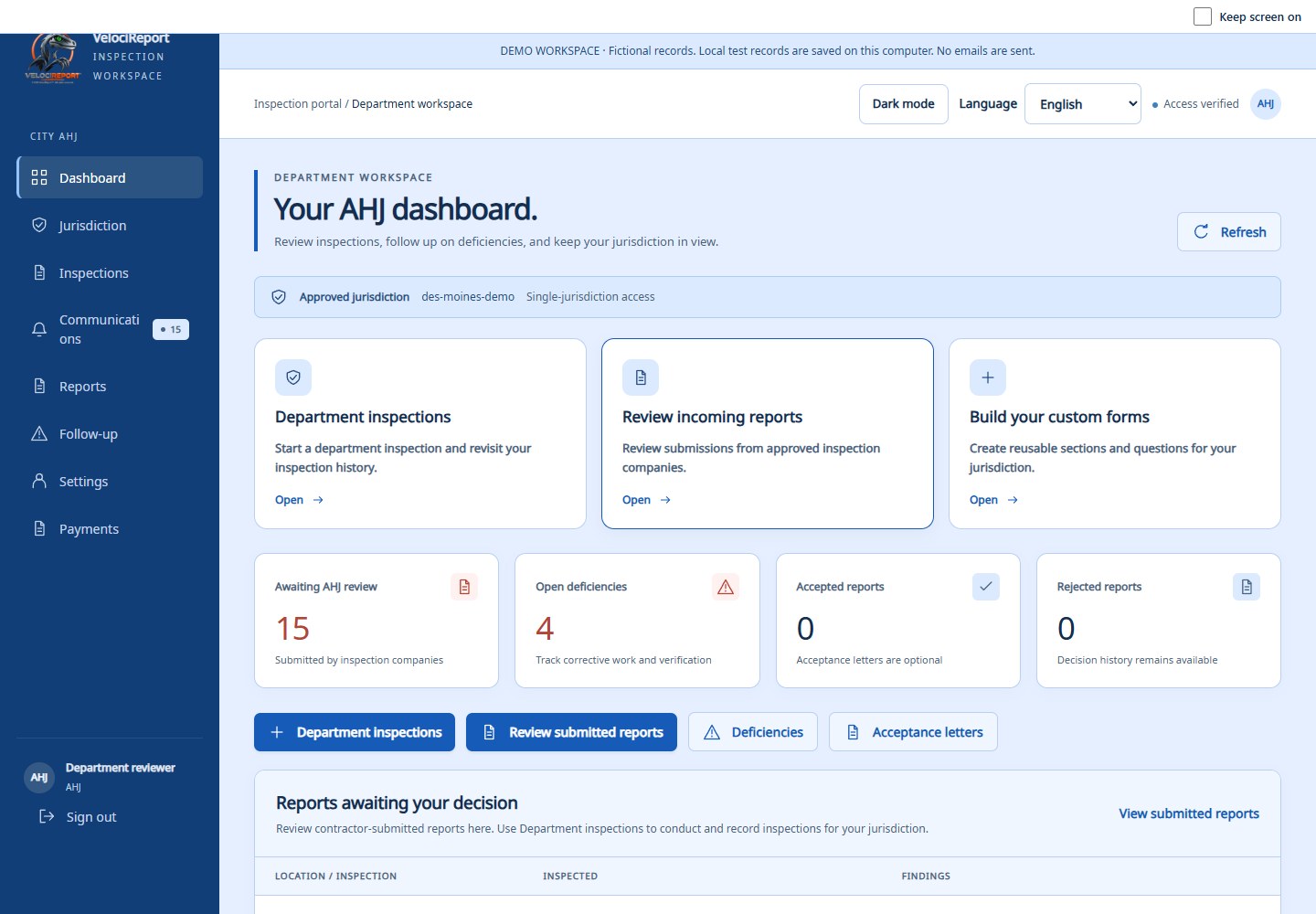
Build department checklists, conduct your own inspections, and keep certified records. Review contractor submissions and follow deficiencies from the same workspace.
- Custom checklists and saved drafts
- Inspection history and printable reports
- Contractor review and corrective-work tracking
From the first assignment
to the finished report.
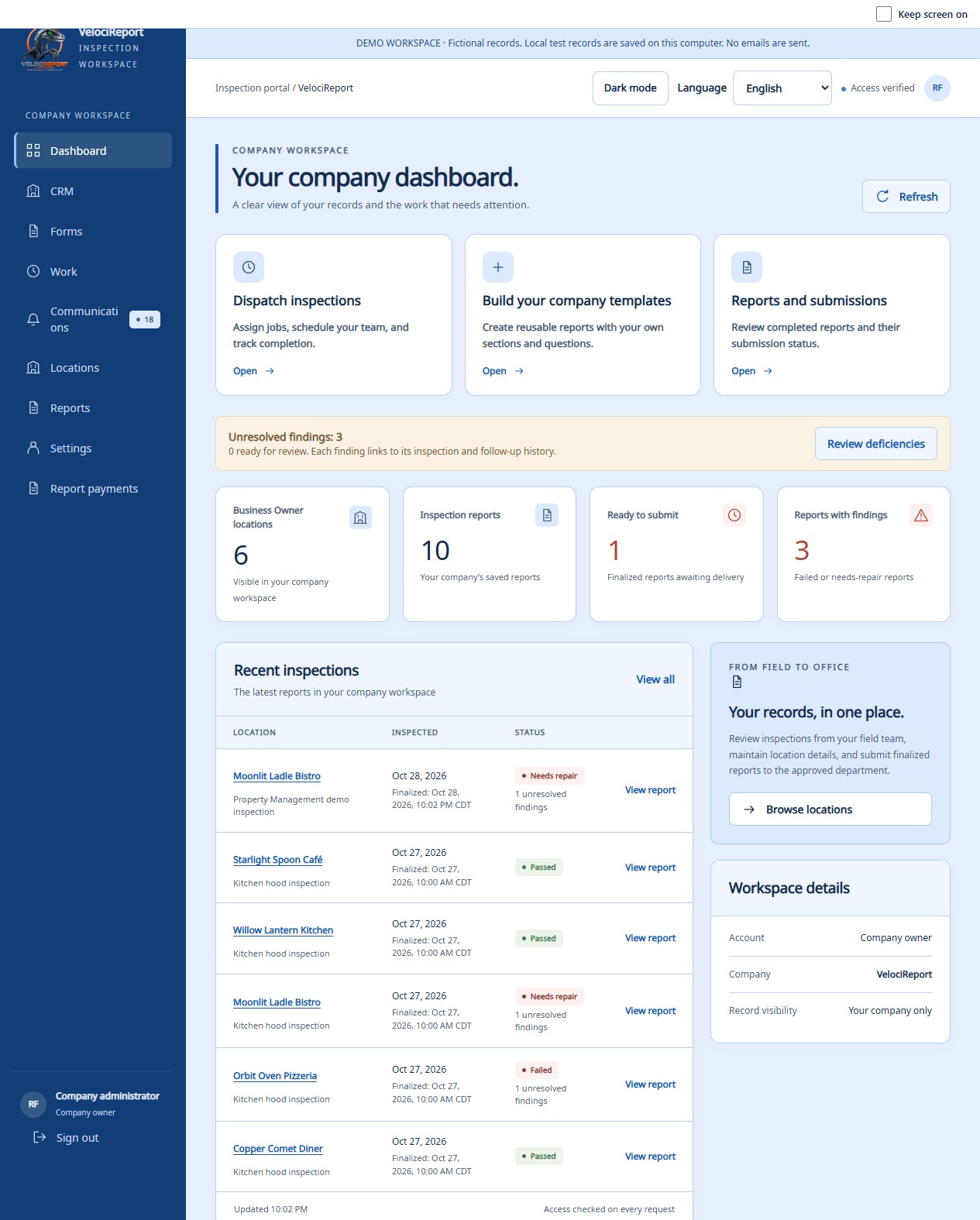
Give the office and field team a shared workflow. Schedule the job, assign a technician, document the inspection, and keep location history and follow-up organized.
- Dispatch, assignments, and custom company templates
- Field reports, photos, and system layouts
- Location history and deficiency follow-up
Manage nationally.
Source state by state.
Find participating inspection contractors directly, without relying on a middleman to source them. Keep your properties, providers, and inspection plans together.
- Contractor search by service and state
- Direct bids, work offers, and preferred providers
- Inspection planning across your portfolio
FOR STATE AHJs
See across your state.
Delegate by county.
Statewide inspection oversight under a verified mandate. County accounts managed by the state. City AHJs keep their independent accounts.
LIVE INSPECTION SUBMISSIONS
Finish the inspection.
Keep the report moving.
When the field app is connected to Wi-Fi, completed inspections can sync and reach the approved AHJ through the submission workflow. Working without a connection? Saved inspections can sync once the inspector reconnects.
That means less reliance on a separate office submission—and fewer opportunities for a report to be delayed or never sent.
See how connected reporting works ↗AHJ availability requires completion, successful sync, and authorized submission. Unfinished or unsynced work is not visible to the department.
FIRE INSPECTION SOFTWARE FOR U.S. TEAMS
Local requirements.
Connected records.
Work across locations and jurisdictions while keeping your department or company’s own forms and records organized. Configure checklists for the work your team performs. AHJ participation and access depend on approval for the relevant jurisdiction.
MAKE YOUR NEXT INSPECTION EASIER TO MANAGE
Find your workspace.
Choose your account type in the portal, or ask us about getting your team set up.