Confirm your scope.
Check your jurisdiction and publish the forms your approved companies need. Keep private department checklists for inspections your own team conducts.
FOR CITY AHJs & FIRE DEPARTMENTS
Give fire marshals and prevention teams a connected inspection workflow. Build department checklists, review authorized contractor reports and track deficiencies in your AHJ workspace.
Your questions. Your process.
 CUSTOM REPORTS & DEPARTMENT CHECKLISTSExplore the drag-and-drop report builder ↗
City AHJs have independent accounts and their own decisions. State-delegated county accounts use a separate structure.
Explore State AHJs ↗SET UP YOUR DEPARTMENT
After your AHJ account and jurisdiction access are approved, use Help & tips to find the setup steps. You can stop or restart the hints at any time.
Check your jurisdiction and publish the forms your approved companies need. Keep private department checklists for inspections your own team conducts.
Save the default filing fee in AHJ filing fees & payouts. You can set a different fee when publishing a custom form. Changes apply to new reports; earlier reports keep their original fee.
An authorized representative enters department, identity, and bank details securely in Stripe. Return to check outstanding setup items, balances, and payout status. Stripe’s arrival dates are estimates.
DEPARTMENT INSPECTIONS
Give your department a repeatable process, from the first checklist question to a certified record you can find again.
Create private department checklists with your questions and instructions. Start fresh or adapt examples for commercial buildings, rental housing, and home fire safety. The Mobile Food Vendor Inspection form includes 23 checks, correction notes, visit history, and signatures.
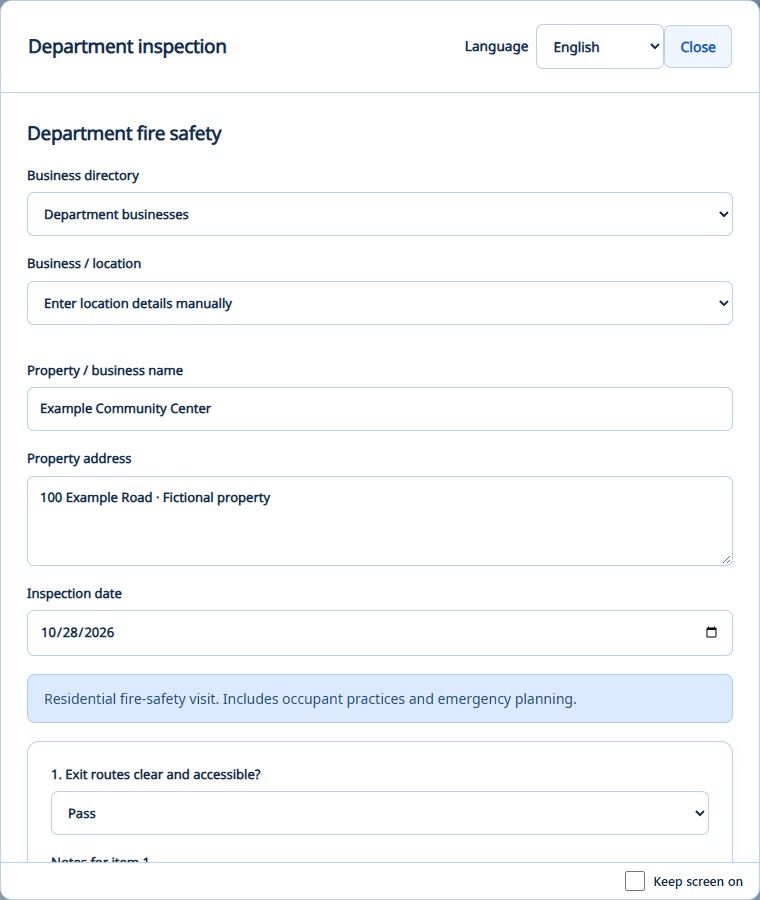
Tailored to your jurisdictionRecord the property, date, item-by-item results, and notes. Save a draft to continue later, and add an overall result and follow-up summary.
Drafts, findings & visit notesCertify and complete the inspection, then print or save a PDF. Search previous inspections by property or inspection name, and filter by date.
Searchable inspection historySaved inspections retain their original checklist when you update a template. Department inspections and checklists remain separate from contractor-submitted reports. Review and adapt example questions to your applicable code and property.
CUSTOM REPORTS · YOUR DEPARTMENT’S REQUIREMENTS
Put the questions where they belong. Drag widgets into place, arrange sections, reuse questions, and preview the report before you publish.
Build a sample report yourself ↗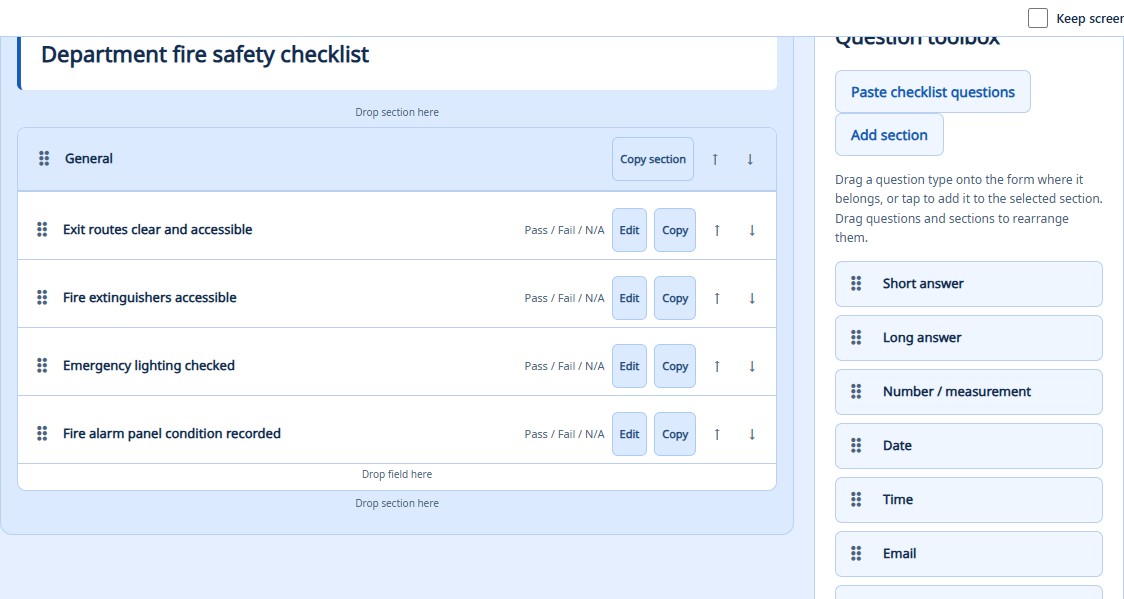
Start with your checklist. Paste existing questions or build a form from scratch.
Make every question count. Add choices, measurements, dates, photos, and signatures.
Publish when you’re ready. Keep draft changes separate from the published form.
LIVE INSPECTION REPORTING
Give your department a direct path to completed inspection reports. Connected field submissions bring results into your approved AHJ workspace, ready for review and follow-up.
See the submitted reports view ↗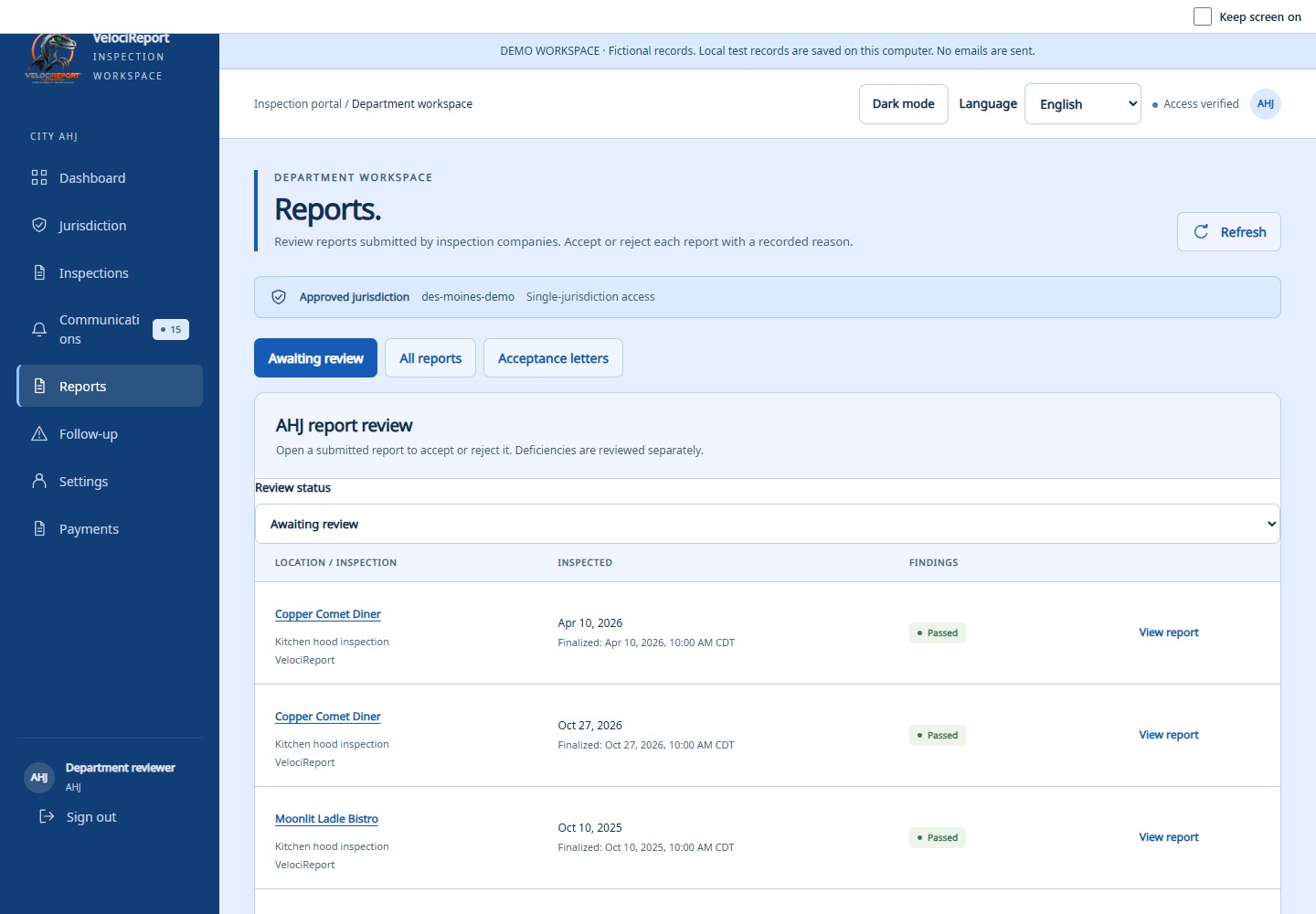
Capture the findings and finish the report in the field.
Completed work syncs over Wi-Fi, or after reconnection.
Authorized submissions reach your department’s review queue.
Reports become available after completion, successful sync, and authorized submission. Saved offline work syncs after reconnection.
YOUR INSPECTORS. YOUR INSPECTIONS.
Use private department checklists to conduct your own inspections. Record each result, attach the context in item notes, and keep a clear summary of the follow-up.
Private department inspections are separate from contractor-submitted reports and published jurisdiction forms.
YOUR DEPARTMENT. A FULLER PICTURE.
From contractor credentials to a prior visit, give your team information they can use to prepare, review, and follow through.
BEFORE YOUR FIRST VISIT
Yes. Use Department inspections in the portal or sync the templates to the Android app for field work. Record findings, save drafts, and certify completed inspections. The portal also lets you print or save a PDF. These records are separate from contractor submissions.
Yes. Create your own checklist or adapt an example. Changes apply to new inspections; saved inspections retain their original checklist. Your department determines the applicable requirements.
No. Saved field work must reconnect and sync, and the completed report must pass through the authorized submission workflow. Once successfully submitted, it is available to the approved AHJ.
Request an AHJ account through the portal. Approval and jurisdiction access are required before records become available. Then follow the department setup steps for forms, fees, and payouts.
BUILT FOR FIRE DEPARTMENTS
Bring your inspections, contractor review, and follow-up into your daily workflow.